
Destiny 2 Cheats for PC
Explore configurable Aimbot, Player ESP, Loot ESP and 2D Radar. Review Windows security settings and the required Cloud DMA configuration before purchasing.
Product Overview
At a glance
Key capabilities
The short list for Destiny 2 Cheats, before the full module list.
Another 28 options are in the full list below.
Overview
Destiny 2 Cheats for PC
How the listed modules and the status banner fit a Destiny 2 match.
How this build fits customizable aim assistance, player visibility, loot tracking, radar information and gameplay configuration.
Explore Destiny 2 cheats for PC with configurable Aimbot, Player ESP, Loot ESP and dedicated 2D Radar features. Review additional player and world information through customizable visual indicators, including box styles, skeleton displays, names, distance information and container indicators.
Configure the available Aimbot settings through customizable FOV, smoothness, bone selection, visibility checks and activation controls. Additional combat options include recoil control, Triggerbot and No Spread, providing separate settings to review within the Aimbot configuration.
Access further customization through the cheat menu, including movement speed boost, Stream-Proof mode, configurable hotkeys, menu controls, saved configurations and cloud connectivity status. Review the available features, Windows requirements and associated Cloud DMA requirements before purchasing.
Important compatibility information: Destiny 2 uses BattlEye as its PC anti-cheat service. Bungie's current account restrictions and banning policy explicitly identifies external cheats, aimbots, modified hardware and modified operating system files, including virtual machines, among prohibited configurations. Using software that violates these policies can result in account restrictions or bans. No third-party product can guarantee immunity from enforcement.
Destiny 2 ESP and player visibility
Destiny 2 Player ESP focuses on additional player visibility through customizable visual indicators and character information. The available visual features include Player ESP, Box ESP, Skeleton ESP and separate controls for visibility-based filtering.
Customize the visual interface through different box styles, including Corner mode, skeleton indicators and adjustable ESP strength. These options provide different visual representations of supported player entities and allow individual visual settings to be configured independently.
Available Player ESP and visual options include:
Player ESP.
Box ESP.
Corner box mode.
Skeleton ESP.
Visible Check.
Adjustable ESP Strength.
Movement Speed Boost.
These options provide different ways to organize the available player information and customize the visual interface.
The additional Movement Speed Boost setting is listed within the Visual ESP feature configuration. Its exact behavior and supported operating conditions should be confirmed through the current product documentation.
Destiny 2 Aimbot and targeting configuration
Destiny 2 includes a configurable Aimbot with several targeting and customization options. Adjust the available FOV, smoothness, bone selection and activation controls independently to organize the listed aiming configuration.
The targeting interface includes separate primary and secondary activation keys, along with visibility checks and additional options for configuring how the Aimbot operates.
Bone Selection provides target bone preferences, while Draw FOV offers a separate visual indicator setting for the configured targeting field.
Available Aimbot options include:
Enable or Disable Aimbot.
Primary Aim Key.
Secondary Aim Key.
Custom FOV.
Draw FOV.
Bone Selection.
Adjustable Smoothness.
Visible Check.
While ADS.
Recoil Control.
Customizable Recoil Strength.
Triggerbot.
Triggerbot Key.
Triggerbot Delay.
No Spread.
These controls provide separate configuration options for the listed targeting and combat features.
The Triggerbot includes its own activation key and delay settings, while Recoil Control provides an additional customizable strength option.
The available settings can be reviewed independently to understand the configuration provided by the current product version.
Destiny 2 Loot ESP and 2D Radar
Destiny 2 World ESP provides additional information about supported loot, items, containers and player-related entities. The available settings include item indicators, container visibility, names and distance information.
Customize the World ESP configuration through individual display controls and adjustable loot distance.
Available Loot ESP and World ESP options include:
Loot / Item ESP.
Container indicators.
Show Names.
Show Distance.
Adjustable Loot Distance.
The dedicated 2D Radar provides a separate visual interface with options for controlling which entity categories appear and adjusting the radar presentation.
Available 2D Radar options include:
Enable 2D Radar.
Show Enemies.
Show Team.
Adjustable Radar Range.
Adjustable Radar Size.
These options provide additional control over item information and the radar display. Individual visibility controls allow the available information to be organized according to the selected configuration.
Destiny 2 Miscellaneous and menu customization
The Misc section provides additional interface customization, shortcut management and configuration options.
Available settings include:
Stream-Proof Mode.
Customizable Menu Keybind.
Dedicated Panic Key.
Save Configuration.
Load Configuration.
Hotkey Management.
Cloud DMA Connection Status.
AWS Cloud Relay Connection Status.
The configurable menu key provides a separate shortcut for accessing the interface, while the Panic Key offers an additional dedicated shortcut.
Save / Load Config provides options for managing stored configurations, allowing users to review and switch between available settings.
The Cloud DMA and AWS options display separate cloud connectivity information. Cloud DMA is described as a secure tunnel connection status, while AWS is identified as a cloud relay connection status.
The exact relationship between these services and whether they are mandatory for the current Destiny 2 build should be confirmed before purchasing.
Windows requirements and compatibility considerations
The associated Windows requirements and system configuration should be reviewed before purchasing.
The published Windows security requirements for the associated products include:
Windows 10 / 11 where specified by the individual product.
HVCI enabled.
Core Isolation enabled.
TPM enabled.
Secure Boot enabled.
Additional Cloud DMA requirements include processor virtualization, Hyper-V availability, sufficient system memory and stable broadband internet.
Review the individual product specifications rather than assuming every requirement applies identically to every component.
Important Destiny 2 anti-cheat consideration:
Destiny 2 uses BattlEye, which Bungie identifies as its proactive PC anti-cheat protection service.
Bungie's published restrictions explicitly include:
Modified game software and assets.
Modified hardware.
Modified operating system files, including virtual machines.
External programs that modify or analyze Destiny software, including cheats and aimbots.
External programs or devices that automate gameplay.
Bungie can apply activity restrictions, account bans and device bans for confirmed violations.
Third-party software compatibility should therefore not be interpreted as official approval, and the availability of a feature does not establish that its use is permitted under Bungie's rules.
Official references: - Bungie Account Restrictions and Banning Policies - BattlEye Anti-Cheat Support Guide
Modules
What's included
The full option list for Destiny 2 Cheats. Each line can be switched in the menu.
- Enable Aimbot: Toggle aim assistance on or off.
- Aim Key & Secondary Aim Key: Configure primary and secondary activation binds.
- Bone Selection: Select the target bone for aim assistance.
- Custom FOV: Adjust the field of view for targeting.
- Smoothness: Fine-tune aim movement behavior.
- Visible Check: Configure targeting to account for visible targets.
- Draw FOV: Toggle the on-screen FOV indicator.
- While ADS: Configure aim assistance while aiming down sights.
- Recoil Control: Enable recoil adjustment with customizable strength.
- Triggerbot: Configure automatic trigger activation, keybind, and delay.
- No Spread: Access an additional spread-control setting.
- Player ESP: Enable player visual indicators.
- Box ESP: Highlight player positions with a configurable box style, including Corner mode.
- Skeleton ESP: Display skeleton overlays for character identification.
- Visible Check: Enable visibility-based visual filtering.
- ESP Strength: Adjust the strength of visual indicators.
- Movement Speed Boost: Access an additional movement speed setting.
- Loot / Item ESP: Display loot and item indicators.
- Containers: Enable visual indicators for containers.
- Show Names: Display names alongside supported entities.
- Show Distance: View distance information on screen.
- Loot Distance: Adjust the maximum loot display distance.
- 2D Radar: Enable the radar interface for entity tracking.
- Show Enemies: Toggle enemy indicators on the radar.
- Show Team: Configure teammate visibility.
- Radar Range: Adjust the radar's tracking range.
- Radar Size: Customize the radar display size.
- Stream-Proof: Enable Stream-Proof mode.
- Menu Keybind: Customize the shortcut used to open the menu.
- Panic Key: Configure a dedicated panic shortcut.
- Save / Load Config: Manage and switch between saved configurations.
- Hotkeys: Enable and manage shortcut controls.
- Cloud DMA: Secure tunnel connection status.
- AWS: Cloud relay connection status.
Experience
Menu layers · After checkout
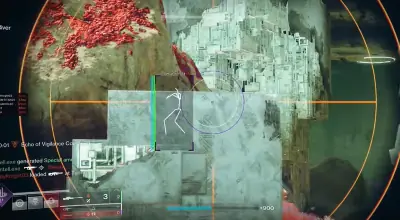
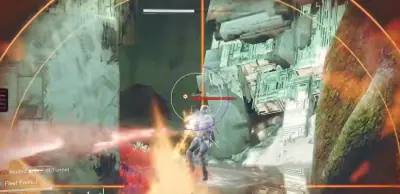
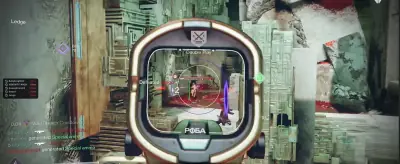
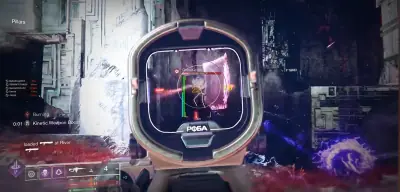
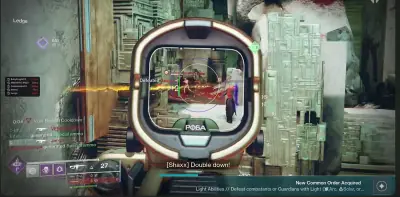
The supplied screenshots show Destiny 2 gameplay. Review documented features and purchase requirements below.
In-game layers
- Layer A
Destiny 2 gameplay 1
Supplied gameplay capture showing the on-screen targeting and visual indicators.
- Layer B
Destiny 2 gameplay 2
Supplied gameplay capture showing the on-screen targeting and visual indicators.
- Layer C
Destiny 2 gameplay 4
Supplied gameplay capture showing the on-screen targeting and visual indicators.
- Layer D
Destiny 2 gameplay 5
Supplied gameplay capture showing the on-screen targeting and visual indicators.
- Layer E
Destiny 2 gameplay 6
Supplied gameplay capture showing the on-screen targeting and visual indicators.
More products
Pairs well with
Utilities sold beside the cheat. Each one keeps a separate page.
- HWID Spoofer After a hardware flag, this license rewrites disk serials. It also rewrites MAC addresses, GPU IDs, and related fingerprints. Trace cleanup is in the same license. View details: HWID Spoofer
- Cloud DMA Cloud DMA requires GREENWARD, Static Server and AWS as separate purchases. Confirm the full setup and Destiny 2 compatibility before ordering. View details: Cloud DMA
- Skin Changer Cosmetic customization for supported titles. Destiny 2 support is not explicitly confirmed; ask support before purchasing for this game. View details: Skin Changer
FAQ
Questions about this page
Answers for this page. The FAQ page holds the rest.
Blog
Related guides
Filter by topic to find setup guides, feature deep-dives, and patch-day notes.
Get a clear breakdown of the listed Destiny 2 features, from targeting and player visuals to loot indicators, radar controls and configuration options.
A practical explanation of the Aimbot controls listed for Destiny 2, including activation, target preferences, FOV and additional settings.
Compare the visual formats and controls included in the listed Player ESP feature group without assuming unsupported options or compatibility.
Understand the difference between item indicators, container markers, name labels, distance information and the loot-distance control.
A straightforward guide to the enemy, team, range and size controls named in the Destiny 2 2D Radar feature list.
These terms describe different functions. Learn how the listed Aimbot targeting controls differ from the Triggerbot activation and delay options.
Destiny 2 community forum
Read discussion
Read-only discussions supplied by the site owner. Archived compatibility notes and prices reflect their original dates; confirm current details with the seller.
- Cheat Features How are you balancing FOV and smoothness for Destiny 2 aim settings? Trying to understand the difference between FOV, smoothness, and bone selection in the Destiny 2 Aimbot settings? Let's discuss what each option controls and how to approach configuring them.
- Cheat Features Player ESP: corner boxes or skeleton indicators? Player ESP has several visual customization options. This thread discusses box styles, skeleton indicators, ESP strength, and visibility checks without assuming every option is necessary for every setup.
- Cheat Features Destiny 2 Loot ESP: how much item information is actually useful? Want to understand the Destiny 2 Loot ESP options? Discuss item and container indicators, name and distance displays, and the maximum loot distance setting.
- Cheat Features Destiny 2 2D Radar: range vs size, what should I adjust first? The 2D Radar includes separate range and size settings, along with enemy and team visibility options. Let's clarify what these controls mean.