
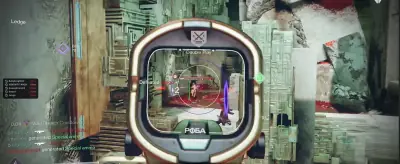
Destiny 2 Player ESP Guide: Box ESP, Corner Boxes and Skeleton ESP
Compare the visual formats and controls included in the listed Player ESP feature group without assuming unsupported options or compatibility.
Player ESP is a broad label for visual indicators that provide additional information about player positions. A feature menu may offer more than one visual style, so it helps to understand what each option is meant to change before comparing products.
The Destiny 2 feature list covered here includes Player ESP, Box ESP, a Corner box style, Skeleton ESP, Visible Check and an ESP Strength control. It does not list every possible ESP option found in other games, so features such as health bars, weapon labels or team colors should not be assumed unless they are explicitly shown in the current product details.
Player ESP and Box ESP
Player ESP is the main toggle for the listed player visual indicators. Box ESP adds a box-style marker around the represented player. This type of indicator emphasizes the general on-screen area occupied by a character.
The listed box setting includes a configurable style, with Corner mode named as an option. A corner-style box uses separated corner segments rather than a complete outline. Whether that format is easier to read depends on the rest of the screen and personal preference.
Skeleton ESP
Skeleton ESP uses a skeleton-shaped visual indicator rather than a rectangular frame. It is a different way to represent a character's position and general orientation on screen.
A menu that lists both Box ESP and Skeleton ESP gives users separate visual formats to review. The feature information supplied for this article does not confirm additional skeleton details such as individual bone colors, line thickness, distance labels or health indicators.
Visible Check
Visible Check is a separate option in the Player ESP group. The setting is described as visibility-based visual filtering. The exact method used to determine visibility is not specified in the supplied feature information.
For that reason, do not assume it has a particular line-of-sight method, refresh rate or activity-specific behavior. Those are product implementation details that should be confirmed with support.
ESP Strength
ESP Strength adjusts the strength of the visual indicators. A feature label alone does not explain the available range, default value or exact rendering changes. Check the current menu or product documentation for those details.
The feature list also includes a Movement Speed Boost option in this section. Its label is not enough to establish a numeric increase or supported activity, so avoid relying on an assumed value.
What a buyer should verify
Before evaluating a Player ESP feature list, check which visual styles are actually included, whether the style can be changed, what Visible Check means in the current version, and whether the feature is confirmed for the exact Destiny 2 build you use.
Bungie prohibits third-party cheats and tools used to gain an advantage. Player overlays that are part of a cheat should not be presented as an approved accessibility feature or as safe from account enforcement.
You can review the supplied feature summary on the Destiny 2 product page. For unanswered questions about the current visual options, use the support page.