
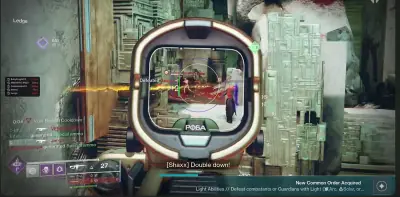
Destiny 2 2D Radar Settings: Range, Size, Enemy and Team Indicators
A straightforward guide to the enemy, team, range and size controls named in the Destiny 2 2D Radar feature list.
A 2D Radar is a separate interface from the main gameplay view. Its value depends on which entities it represents, how much area it covers and how much screen space it occupies. A radar feature list should therefore be reviewed by its individual controls rather than by the word "radar" alone.
The supplied Destiny 2 feature information lists an enable toggle, Show Enemies, Show Team, Radar Range and Radar Size.
Enable 2D Radar
The main 2D Radar toggle controls whether the radar interface is enabled. This is the master setting; the enemy and team options are individual display preferences within that feature group.
The product description does not specify the radar's default position, shape, opacity or whether its location can be moved. Do not assume those controls are included unless they appear in the current product menu.
Show Enemies
Show Enemies is the listed option for enemy indicators on the radar. It controls whether the relevant enemy markers are displayed. The precise entity categories recognized by the feature are not defined in the supplied description.
For a useful product comparison, ask which enemy types are represented and whether the behavior differs by activity. Do not invent a list of supported enemy classes.
Show Team
Show Team configures teammate visibility. This is separate from Show Enemies, allowing the two indicator groups to be considered independently.
The feature list does not confirm how teammates are identified or whether every activity mode supports the same team information. Confirm those details with support if they affect your decision.
Radar Range and Radar Size
Radar Range changes the tracking range represented by the radar. Radar Size changes the radar's display dimensions on screen. They are not interchangeable: one describes the range setting, while the other concerns the visual footprint of the interface.
The provided product details do not state numeric limits, units or default values. A product page should publish those values only after they have been verified against the current build.
Radar versus screen ESP
A radar represents supported indicators in a separate 2D interface. Screen ESP places visual indicators in the gameplay view. The two formats present information differently, so they should not be compared as though they were the same feature with different names.
The supplied feature list includes both Player ESP and 2D Radar. For the exact current options, check the Destiny 2 feature page and ask support about details that are not documented.
Bungie's rules prohibit cheats and other tools used to gain an unfair advantage. A third-party radar should not be marketed as an approved or risk-free feature.