
Destiny 2 Cheats Features: Aimbot, ESP, Loot Tracking and Radar
Get a clear breakdown of the listed Destiny 2 features, from targeting and player visuals to loot indicators, radar controls and configuration options.
A feature list is only useful when you understand what each option is intended to control. A Destiny 2 cheat menu can contain several separate groups of settings, and those settings should not be treated as interchangeable. Targeting controls, player visuals, loot indicators and interface options each serve a different purpose.
The feature set described here includes Aimbot, Player ESP, Loot ESP, a 2D Radar, recoil control, Triggerbot, No Spread, movement speed boost and interface controls. This guide explains what is listed without assuming that every setting works in every activity or game version.
Aimbot and targeting controls
The Aimbot section groups the available aiming options together. Its settings include an enable toggle, primary and secondary aim keys, bone selection, custom field of view, smoothness, visible checks, an on-screen FOV indicator and an option related to aiming down sights.
The purpose of separating these controls is clarity. The activation keys determine when the feature is enabled, while FOV and bone selection define targeting preferences. Smoothness controls the configured aim movement behavior. A visible check is a separate filter that can be enabled or disabled.
The listed Aimbot group also includes recoil control, Triggerbot and a No Spread setting. These are distinct options, not alternate names for the main Aimbot toggle.
Player ESP and visual indicators
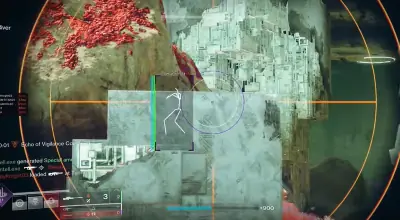
Player ESP provides visual indicators for player positions. The available options include Box ESP, a Corner box style, Skeleton ESP, visibility filtering and an ESP strength adjustment.
Box indicators and skeleton overlays communicate information in different visual formats. A box emphasizes the area occupied by a character, while a skeleton display uses a character-shaped outline. The strength setting provides an additional way to adjust the visual presentation.
The supplied feature list also includes a movement speed boost setting in this group. Its exact behavior, limits and availability should be confirmed on the current product page rather than assumed from the label alone.
Loot ESP and world information
The world-related section focuses on items and containers. Loot or Item ESP can display indicators for supported loot, while the container option controls container indicators. Name and distance settings add text information to supported entities.
A loot distance setting controls the maximum display distance listed for loot indicators. This is separate from the 2D Radar range, which belongs to the radar interface.
2D Radar
The 2D Radar is a separate display option. Its listed controls include an enable toggle, enemy visibility, team visibility, radar range and radar size.
Range determines the area represented by the radar settings, while size changes the radar's on-screen dimensions. Enemy and team toggles let the user configure which supported groups are represented. The product description does not specify exact detection ranges or activity-specific behavior, so those details should be checked with support.
Menu and configuration controls
The Miscellaneous section contains Stream-Proof mode, a menu keybind, a panic key, save and load configuration options, hotkeys, Cloud DMA connection status and AWS cloud relay status.
These settings relate to interface access and connection information rather than player targeting or loot display. A Stream-Proof label should not be interpreted as a guarantee that software activity, overlays or gameplay will be invisible to every capture method or review process.
What to check before choosing a product
Before purchasing any third-party game tool, check the current feature list, the exact supported game build, system requirements, service requirements, pricing, subscription length and support process. The feature names alone do not prove compatibility with a particular Destiny 2 update or activity.
Bungie's rules also prohibit cheats and tools such as aimbots or autofire when used to gain an advantage. Account and device restrictions are possible. Review the official rules before making a decision.
For the current feature description, visit the Destiny 2 product information page. For general questions, use the FAQ or support page.